
MCW Apps Casino Mobile App — Download and Play Anywhere in Bangladesh


Install the app
Add MCW Apps Casino to your home screen and play in one tap — no store needed.
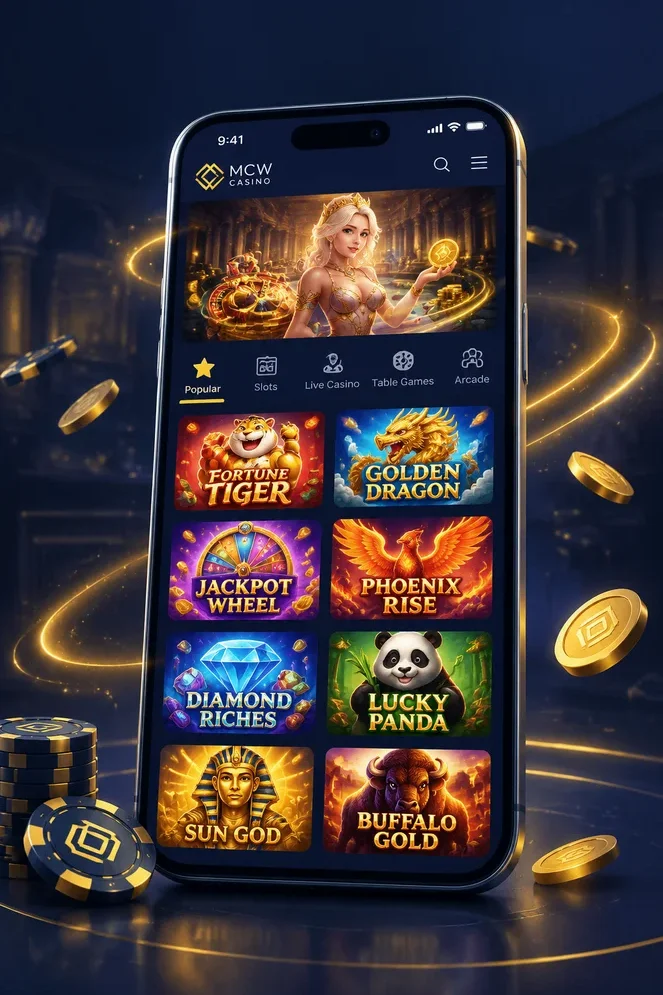
Installation on iOS
- Open mcwappscasino.com in Safari browser on your iPhone
- Tap the «Share» button at the bottom of the screen
- Choose «Add to Home Screen» and tap «Add»
Installation on Android
- Open mcwappscasino.com in Chrome browser on your Android device
- Tap «Three dots» on the top right
- Tap «Add to Home screen» and tap «Install»
How to Download the MCW App on Android — Step-by-Step APK Installation
Installing the MCW Apps Casino app on your Android device takes less than five minutes. The app is distributed as an APK file, which means you download it directly from the official MCW website rather than Google Play. This gives you faster access to updates and ensures you always have the latest version.
Step 1: Enable Unknown Sources
Before you can install the APK, you need to allow installations from sources other than Google Play. Open your phone's Settings, go to Security or Privacy, and enable Install from Unknown Sources or Install Unknown Apps. On newer Android versions, you may need to grant permission to your browser app specifically.
Step 2: Visit the Official MCW Website
Open your mobile browser and go to the MCW Apps Casino homepage. Tap the Download App button at the top of the screen. The APK file — approximately 92.9 MB — will begin downloading immediately. Do not download the APK from third-party websites or file-sharing platforms, as these may contain malware or phishing versions of the app.
Step 3: Install the APK
Once the download completes, open the file from your notification tray or Downloads folder. Tap Install and wait for the installation to finish. If prompted for additional permissions, review and accept them — these allow the app to access features like your camera (for KYC verification) and notifications.
Step 4: Launch the App and Log In
After installation, tap Open to launch the MCW app. If you already have an account, log in with your phone number and password. New users can create an account directly within the app by tapping Sign Up. The app loads in under three seconds on stable connections and takes you straight to the home screen where you can start exploring games, place bets or make your first deposit.
| Requirement | Minimum |
|---|---|
| Android Version | 5.0 or higher |
| Free Storage | 100 MB |
| APK File Size | 92.9 MB |
| Internet Connection | 3G / 4G / 5G / Wi-Fi |
Installing the MCW App on iPhone and iPad — iOS Guide
iOS users can access MCW Apps Casino through a web app shortcut that functions like a native application. Apple's App Store policies restrict certain gaming apps, so the MCW app is installed directly from the official website. The process is straightforward and takes about three minutes.
Step 1: Open Safari and Visit the MCW Website
Launch Safari — iOS's default browser — and navigate to the official MCW Apps Casino homepage. Tap the Download App button or the iOS-specific installation link displayed on the page. Make sure you are using Safari, as other browsers like Chrome or Firefox may not support the shortcut creation process on iOS.
Step 2: Add to Home Screen
Tap the Share icon at the bottom of the Safari window (the square with an upward arrow). Scroll down and select Add to Home Screen. You will see the MCW Apps Casino logo and app name. Tap Add in the top-right corner to complete the process.
Step 3: Launch the App
Return to your home screen and locate the MCW Apps Casino icon. Tap it to open the app. It will load the full MCW platform in a standalone browser window without Safari's address bar or navigation buttons, giving you a native app experience. Log in with your existing account or create a new one by tapping Sign Up.
Step 4: Enable Notifications (Optional)
When prompted, allow notifications to receive updates on bonuses, live match odds and promotional offers. You can manage notification settings later through your iPhone's Settings app under MCW Apps Casino.
| Requirement | Minimum |
|---|---|
| iOS Version | 11.0 or later |
| Compatible Devices | iPhone, iPad |
| Browser Required | Safari |
| Storage Impact | Minimal (cache only) |
Key Features of the MCW Mobile App — What You Get on Your Phone
The MCW Apps Casino app delivers the complete platform experience on mobile — no compromises, no missing features. Every game, payment method and betting market available on desktop is accessible from your phone or tablet, optimised for touchscreen navigation and smaller screens.
- 7,000+ Games On Demand — Play slots from JILI, Pragmatic Play and PG Soft, join live dealer tables from Evolution, or try crash games like Aviator. The full library loads instantly with no need to switch between apps or browser tabs.
- Live Sports Betting with Real-Time Odds — Place bets on cricket (IPL, BPL, ICC), football, kabaddi and 45+ sports. Odds refresh every two seconds during live matches, and the betting slip is always one tap away.
- Push Notifications — Get instant alerts when new bonuses go live, when your favourite team's match starts, or when your withdrawal is processed. Notifications keep you connected without having to open the app constantly.
- bKash and Nagad Integration — Deposit and withdraw using Bangladesh's most popular mobile wallets directly within the app. Transactions complete in under three minutes, and all amounts are displayed in BDT.
- Biometric Login — Secure your account with fingerprint or face recognition for faster access without typing passwords every time.
- 24/7 Live Chat Support — Contact customer support through the in-app chat widget. Responses arrive within minutes, and the team speaks English and Bengali.
- Lightning-Fast Performance — The app loads in under three seconds on stable connections and maintains 99% uptime. Games run smoothly even on mid-range devices, and the interface is responsive with minimal lag.
- Offline Access to Account History — View your previous bets, deposits and game sessions even when you temporarily lose internet connection. Data syncs automatically once you reconnect.
The MCW app is updated regularly with new games, features and security improvements. Updates are installed automatically or can be downloaded manually from the official website when a new version is released.
Mobile App vs Browser — Which Way to Play Is Better?
Both the MCW mobile app and the mobile browser version give you full access to the platform, but they differ in speed, convenience and certain features. Here is a side-by-side comparison to help you decide which option suits your playing style.
| Feature | Mobile App | Mobile Browser |
|---|---|---|
| Installation Required | Yes (APK / shortcut) | No |
| Load Speed | Under 3 seconds | 3–5 seconds |
| Push Notifications | Yes | No |
| Biometric Login | Yes | No |
| Offline History Access | Yes | No |
| Storage Space Used | ~93 MB | Cache only (~5–10 MB) |
| Updates | Manual (from website) | Automatic |
| Full Game Library | Yes | Yes |
| Deposit Methods | All (bKash, Nagad, crypto) | All |
| Live Betting | Yes | Yes |
The app offers a faster, more seamless experience with features like push notifications and biometric login that enhance convenience and security. It is the preferred choice for players who use MCW Apps Casino daily or frequently place live bets. The browser version is ideal if you want to avoid installing anything on your device or if you only play occasionally. Both options are official, secure and provide identical access to games, bonuses and payment methods.
Games Available on the MCW Mobile App — Full Casino in Your Pocket
The MCW mobile app gives you unrestricted access to the entire game library of 7,000+ titles. There are no mobile-only limitations — if a game exists on desktop, it is available on the app. All categories load instantly and run smoothly on modern Android and iOS devices.
Live Casino — Join over 500 live dealer tables daily from Evolution and Pragmatic Play Live. Play baccarat, roulette, blackjack, Sic Bo and Andar Bahar with real dealers streaming in HD. Typical RTP across live games averages 96.5%. Minimum bets start from ৳50 depending on the table.
Slots — Spin thousands of video slots from JILI, Pragmatic Play, PG Soft and other top providers. Popular titles include Fortune Gems (JILI, RTP 96.80%), Sweet Bonanza (Pragmatic Play, RTP 96.48%), and Mahjong Ways 2 (PG Soft, RTP 96.95%). Most slots support demo mode so you can try them for free before betting real money.
Crash Games — Test your timing with Aviator by Spribe (RTP 97.00%), Spaceman by Pragmatic Play (RTP 96.50%), and other instant-win games. These titles use provably fair RNG, meaning every round outcome can be independently verified. Minimum bets start from ৳10.
Table Games — Play RNG versions of roulette, blackjack, baccarat and poker. These digital table games load faster than live dealer alternatives and allow lower minimum bets from ৳10. They are perfect for practising strategies or playing at your own pace.
Fishing and Arcade Games — Explore fishing-themed skill games and arcade-style slots popular in Asian markets. JILI's Golden Empire (RTP 97.00%) and other fishing games combine shooting mechanics with slot-style payouts.
All games are tested for mobile compatibility, and touch controls are optimised for smaller screens. For the full game catalogue with detailed descriptions and RTP information, visit the MCW Apps Casino games page.
| Category | Example Titles | Provider | Average RTP |
|---|---|---|---|
| Live Casino | Baccarat, Lightning Roulette | Evolution | 96.5% |
| Slots | Fortune Gems, Sweet Bonanza | JILI, Pragmatic Play | 96.2% |
| Crash Games | Aviator, Spaceman | Spribe, Pragmatic Play | 96.8% |
| Table Games | European Roulette, Blackjack | Various | 97.3% |
| Fishing Games | Golden Empire, Fish Hunter | JILI | 96.5% |
Sports Betting on the Go — Cricket, Football and More via the App
The MCW mobile app delivers the full sportsbook experience directly to your phone. Bet on cricket (IPL, BPL, ICC World Cup), football, kabaddi and 45+ sports with live odds updated every 2 seconds during matches. The app supports both pre-match and in-play betting across all markets, including the MCW betting exchange where you can back and lay odds like a professional trader.
Push notifications keep you informed of odds changes, match starts and promotional offers. One-tap bet placement ensures you never miss a live opportunity, even when odds shift rapidly during a cricket session or football penalty shootout. The mobile interface is optimised for quick navigation between sports, with your bet slip always accessible at the bottom of the screen.
Minimum stakes start from ৳100, and all bets are processed in BDT. Whether you are following the latest BPL match or placing an accumulator on Premier League fixtures, the MCW app puts the entire sportsbook in your pocket with the same depth and functionality as the desktop version.
Deposits and Withdrawals via the App — bKash, Nagad and Crypto
Managing your MCW Apps Casino balance through the app is fast and secure. The Cashier section supports all major Bangladeshi payment methods — bKash, Nagad, Rocket, UPAY and TAP — plus cryptocurrency options including USDT (TRC-20), Bitcoin and Ethereum. Deposits process in under 3 minutes for mobile wallets, and you can fund your account without leaving the app.
To deposit, tap the Cashier icon, select your preferred method, enter the amount (minimum ৳200) and confirm the transaction through your payment provider. The funds appear in your MCW account balance instantly for mobile wallets, or within 1–5 minutes for crypto. All transactions are processed in BDT, so you never pay currency conversion fees when using local methods.
Withdrawals follow the same simple process. Select Withdrawal in the Cashier, choose your method, enter the amount (minimum ৳500) and confirm. Payouts to bKash, Nagad and Rocket typically arrive within 24 hours. MCW applies a 2.5% transaction fee on withdrawals, but this fee is waived entirely if you have wagered your deposit at least 1x before requesting a cashout. KYC verification may be required for your first withdrawal — complete it in advance through the app's Account Settings to ensure faster processing.
Cryptocurrency withdrawals (USDT, BTC, ETH) process faster, usually completing in 1–3 hours, with the same fee structure. For full details on limits, processing times and payment terms, visit the MCW Apps Casino payment methods page.
App Security and Data Protection — Safe Gaming on Your Device
Your safety is our priority. The MCW mobile app operates under a recognised international gaming licence and uses SSL encryption to protect all personal and financial data transmitted between your device and our servers. Every login, deposit and withdrawal is secured with the same encryption standards used by banking institutions worldwide.
The app supports biometric authentication (fingerprint or Face ID) on compatible devices, adding an extra layer of protection to your account. KYC verification — phone, email and identity document — is required before your first withdrawal to prevent fraud and ensure compliance with regulatory standards. You can complete KYC directly through the app by uploading the required documents in Account Settings.
Always download the MCW Apps Casino app exclusively from the official website. Third-party app stores or unofficial download links may distribute fake or malicious versions designed to steal your data. If you encounter any download link claiming to offer the MCW app from a source other than our official domain, report it to our support team immediately.
MCW Apps Casino enforces strict 18+ age verification and promotes responsible gambling. Deposit limits, loss limits, session timers and self-exclusion options are all accessible within the app's Responsible Gambling section. Play within your means, and remember that gambling should remain entertainment, not a source of income.
Troubleshooting — Common App Issues and How to Fix Them
If the MCW app is not installing on your Android device, the most common cause is that your phone blocks installations from unknown sources. Go to Settings → Security → enable 'Install from Unknown Sources' or 'Install Unknown Apps', then retry the installation. Ensure you have at least 100 MB of free storage and that your Android version is 5.0 or higher.
If the app loads slowly or freezes, try clearing the app cache by going to Settings → Apps → MCW Apps Casino → Clear Cache. A poor internet connection can also cause delays — switch to Wi-Fi or a stable 4G/5G connection for the best experience. Restarting your device often resolves temporary performance issues.
For login problems, use the 'Forgot Password' link on the login screen to reset your credentials via email or SMS. If you are locked out due to multiple failed login attempts, wait 15 minutes before trying again, or contact our 24/7 live chat support for immediate assistance.
To update the app to the latest version, visit the official MCW Apps Casino website and download the newest APK file. Install it over your existing version — your account data and settings will be preserved. Push notifications within the app will alert you when updates are available. For any unresolved issues, reach out to our support team via live chat or Telegram — we are available around the clock to help.
Frequently Asked Questions about the MCW Apps Casino Mobile App
Is the MCW Apps Casino app free to download?
Yes, the MCW Apps Casino mobile app is completely free to download and install on both Android and iOS devices. There are no hidden charges for the installation. Simply visit the official MCW website, tap the download button, and install the APK (Android) or add the web app shortcut (iOS). The app size is approximately 92.9 MB, so ensure you have at least 100 MB of free storage on your device before proceeding.
What are the minimum system requirements for the MCW app?
For Android devices, you need Android 5.0 or higher and at least 100 MB of free storage space. For iOS devices, the minimum requirement is iOS 11.0 or later, compatible with iPhone and iPad. The app is optimised for smooth performance even on mid-range smartphones. Make sure your device has a stable internet connection — Wi-Fi or mobile data (3G/4G/5G) — for the best gaming and betting experience.
Can I deposit and withdraw using bKash through the MCW app?
Yes. The MCW app fully supports bKash for both deposits and withdrawals in BDT. Deposits via bKash are processed in under 3 minutes, and withdrawals typically arrive within 24 hours. The minimum deposit is ৳200. A 2.5% transaction fee applies to withdrawals unless you have wagered your deposit at least 1x. Nagad, Rocket, UPAY, and cryptocurrency (USDT, BTC, ETH) are also available directly within the app.
Is the MCW Apps Casino app safe for players in Bangladesh?
The MCW Apps Casino app operates under a recognised gaming licence and uses SSL encryption to protect all personal and financial data. KYC verification is required for withdrawals to prevent fraud. Always download the app exclusively from the official MCW website to avoid phishing copies. MCW promotes responsible gambling with 18+ age restrictions and self-exclusion tools.
How do I update the MCW app to the latest version?
Since the MCW app is not distributed through Google Play or the App Store, updates are downloaded directly from the official MCW website. When a new version is available, you will receive a push notification within the app. Tap the notification or visit the website, download the latest APK, and install it over the existing version — your account data and settings will be preserved.
Do I get the same games and bonuses in the app as on the desktop site?
Yes, the MCW mobile app provides access to the complete platform — over 7,000 casino games (slots, live casino, crash games, table games), 45+ sports betting markets, and all current promotions including the 100% welcome bonus up to ৳700. There are no restrictions or reduced features compared to the desktop version. Live dealer tables from Evolution and Pragmatic Play, JILI slots, and Aviator crash games all run seamlessly on mobile.
Why can't I install the MCW APK on my Android phone?
The most common reason is that your device blocks installations from unknown sources. To fix this, go to Settings → Security → enable 'Install from Unknown Sources' (or 'Install Unknown Apps' on newer Android versions). Then retry the installation. Also check that you have at least 100 MB of free storage and that your Android version is 5.0 or higher. If the issue persists, clear your browser cache and re-download the APK from the official MCW website, or contact our 24/7 live chat support.